Real-Time Web Push for Smart Operations Management
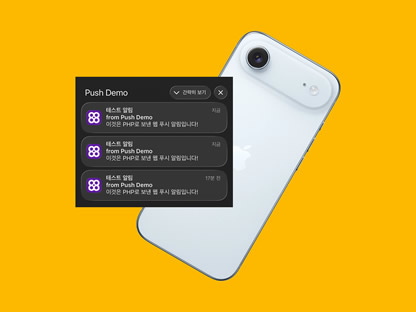
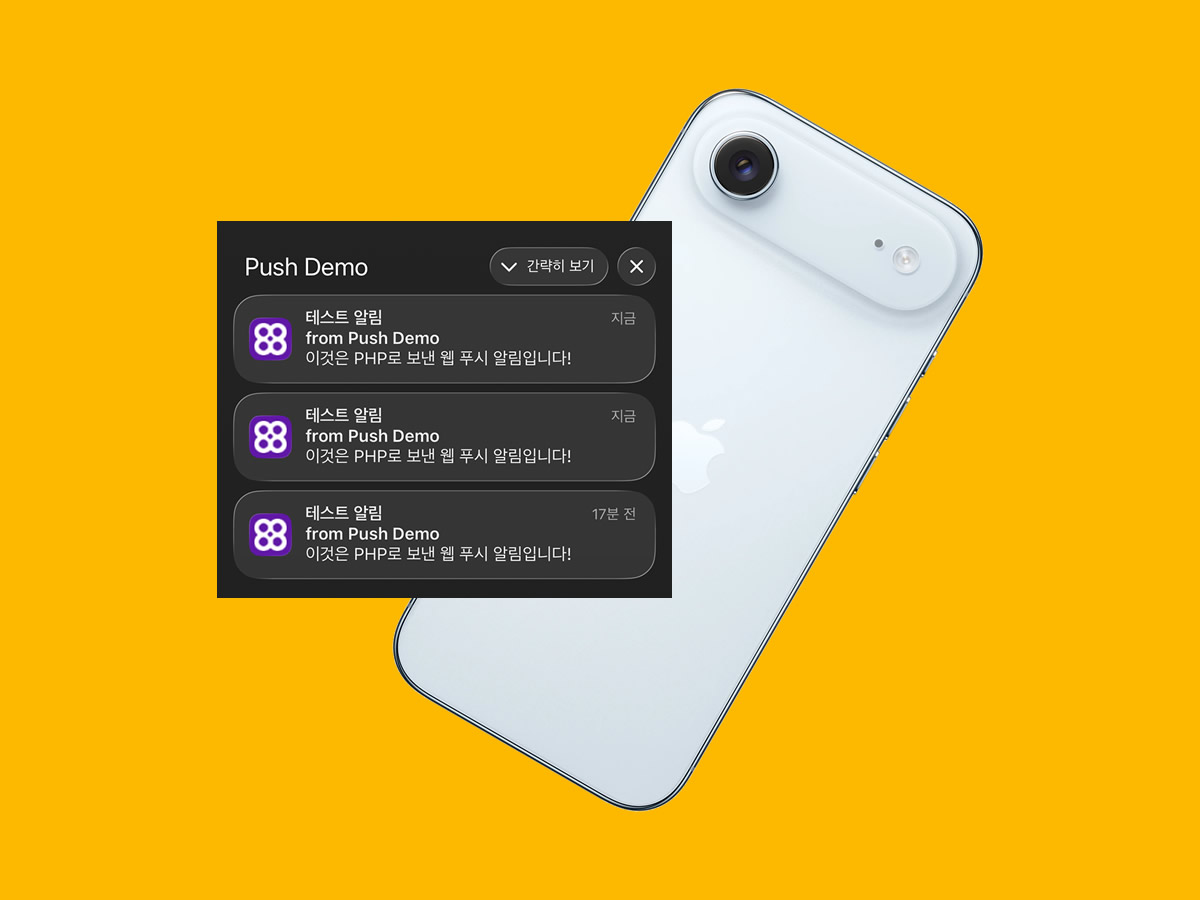
To implement smart operation management with real-time web push, a stable and efficient web push function must be implemented. Experience a faster and more efficient operating environment with real-time notifications on the operation dashboard.
This web push approach for the dashboard can be applied to various areas such as equipment status monitoring, fire contact point notifications, delivery notifications, and similar implementations.
Installing PHP External Library for Real-time Web Push
To properly implement Web Push Notifications in PHP, you usually need to use an external library. The most widely used library is the minishlink/web-push package.
Using this library, you can easily handle the following tasks
- VAPID Key Generation and Management (Essential for Web Push Authentication)
- Browser-specific Push API Support (Chrome, Firefox, Edge, Safari, etc.)
- Message Encryption and Transmission
- Error Handling and Retry Logic
Implementing all these features by coding them yourself requires significant time and effort, and it can also lead to security issues. However, by using Composer to install the minishlink/web-push library, you can install the latest library with just a single command.
Installing Composer on Cafe24 Hosting
Composer is the official dependency manager for PHP. Its main role is to automatically download and install required PHP libraries, manage dependencies between libraries automatically, clearly manage the versions of all packages used in the project with a single composer.json file, and provide an autoloader to easily load classes.
Cafe24 web hosting does not have Composer installed by default. However, installing it yourself allows you to freely use the PHP package manager. This makes it easy to adopt the latest web push library, and you can immediately install other useful PHP packages such as Laravel Notification or database management libraries. It also makes code maintenance much easier and significantly improves development productivity.
Composer is necessary when implementing real-time web push functionality because it allows you to install specialized web push libraries like minishlink/web-push with a single command. To install Composer, you need to set it up so that the php command can be used directly from any directory. After connecting via FTP, adding the PATH setting to the .bash_profile file allows you to use the php command conveniently.
# .bash_profile

# Set normal user account home directory for chroot
HOME="/$LOGNAME"
HISTFILE="$HOME/.bash_history"
colors="$HOME/.dircolors"

# Get the aliases and functions
if [ -f /etc/userbashrc ]; then
 . /etc/userbashrc
fi

# User specific environment and startup programs
PATH=$PATH:$HOME/bin:/usr/local/php82/bin
export PATH

LANG=ko_KR.UTF-8
export LANG

unset USERNAME

cd
The installation path may vary depending on the PHP version, so you must first check the exact PHP path using the command below.
// phpinfo.php

phpinfo();
After completing the PHP PATH setup, run the following commands in order to finish installing Composer.
# Move to root directory
cd www

# Download Composer installation script
curl -o composer-setup.php https://getcomposer.org/installer

# Install Composer
php -d allow_url_fopen=On composer-setup.php
Generating VAPID Keys After Installing the web-push Library
Once Composer installation is complete, run the following commands in order. This will install the web-push library and generate the Public Key and Private Key (VAPID keys) required for web push. You can then copy and use the generated keys.
# Install web-push library
php composer.phar require minishlink/web-push

# Generate VAPID keys and save to file
php -d "allow_url_fopen=On" -r '
 require "vendor/autoload.php";
 use Minishlink\WebPush\VAPID;
 $keys = VAPID::createVapidKeys();

 $content = "=== VAPID Keys Generated at " . date("Y-m-d H:i:s") . " ===\n";
 $content .= "Public Key : " . $keys["publicKey"] . "\n";
 $content .= "Private Key : " . $keys["privateKey"] . "\n";
 $content .= "=======================================\n\n";

 echo $content;
 file_put_contents("vapid_keys.txt", $content, FILE_APPEND);
 echo "VAPID keys have been saved to vapid_keys.txt file.\n";
'
web-push File Structure and Code Implementation
The following is the complete file structure and actual code examples for implementing web push functionality. Test based on the example below, then modify it or add features according to your needs.
In the example below, browser subscription information is stored in a subscriptions.json file. However, in a real service or production environment, you should manage subscription information using a database (MySQL, MariaDB, etc.) instead of file storage.
/
├── index.php # Main web push demo screen
├── app.js # Client-side subscription and notification send button handling
├── service-worker.js # Push notification reception and click handling
├── subscribe.php # Save browser subscription information
├── send.php # File that sends notifications via push
├── manifest.json # PWA home screen addition and settings to work like an app
└── icons/ # Folder for icon images used in PWA and notifications
<!-- index.php -->
<!DOCTYPE html>
<html lang="en">
<head>
<meta charset="UTF-8">
<meta name="viewport" content="width=device-width, initial-scale=1">
<title>Web Push Notification Demo</title>
<!-- PWA Meta Tags -->
<meta name="mobile-web-app-capable" content="yes">
<meta name="apple-mobile-web-app-capable" content="yes">
<meta name="apple-mobile-web-app-status-bar-style" content="default">
<meta name="theme-color" content="#0d6efd">
<!-- Manifest -->
<link rel="manifest" href="/manifest.json">
<!-- Icons -->
<link rel="apple-touch-icon" sizes="180x180" href="/icons/icon-180.png">
<link rel="icon" sizes="192x192" href="/icons/icon-192.png">
<link rel="icon" sizes="512x512" href="/icons/icon-512.png">
<link href="https://cdn.jsdelivr.net/npm/bootstrap@5.3.3/dist/css/bootstrap.min.css" rel="stylesheet">
<script src="https://cdn.jsdelivr.net/npm/bootstrap@5.3.3/dist/js/bootstrap.bundle.min.js"></script>
<link href="https://cdn.jsdelivr.net/npm/bootstrap-icons@1.11.3/font/bootstrap-icons.css" rel="stylesheet">
</head>
<body class="bg-light">
<div class="container py-5">
<div class="row justify-content-center">
<div class="col-md-8">
<div class="card shadow">
<div class="card-header bg-primary text-white d-flex justify-content-between align-items-center">
<h3 class="mb-0">🔔 Web Push Notification Demo</h3>
<button id="refreshBtn" class="btn btn-outline-light btn-sm">
<i class="bi bi-arrow-repeat"></i> Refresh
</button>
</div>
<div class="card-body">
<p class="lead">Please allow notification permission and try the test.<br>
<small class="text-muted">※ For iPhone, you must add this page to the home screen first.</small>
</p>
<button id="subscribeBtn" class="btn btn-success btn-lg w-100 mb-3">
Start Receiving Notifications
</button>
<div id="status" class="alert d-none"></div>
<hr>
<h5>Send Test Notification</h5>
<div class="input-group mb-3">
<input type="text" id="title" class="form-control" placeholder="Notification Title" value="Test Notification">
</div>
<div class="input-group mb-3">
<input type="text" id="body" class="form-control" placeholder="Notification Body" value="This is a web push notification sent via PHP!">
</div>
<button id="sendBtn" class="btn btn-primary w-100 mb-3">Send Notification Now</button>
<button id="refreshPageBtn" class="btn btn-secondary w-100">
Refresh Entire Page
</button>
</div>
</div>
</div>
</div>
</div>
<!-- External JavaScript -->
<script src="app.js"></script>
</body>
</html>// app.js
const publicVapidKey = '' // Public Key;
async function subscribeUser() {
if (!('serviceWorker' in navigator) || !('PushManager' in window)) {
alert('This browser does not support Web Push.');
return;
}
try {
const sw = await navigator.serviceWorker.register('/service-worker.js');
// Check if already subscribed
const existingSubscription = await sw.pushManager.getSubscription();
if (existingSubscription) {
showStatus('✅ Notifications are already registered.', 'success');
return;
}
const subscription = await sw.pushManager.subscribe({
userVisibleOnly: true,
applicationServerKey: urlBase64ToUint8Array(publicVapidKey)
});
const response = await fetch('subscribe.php', {
method: 'POST',
body: JSON.stringify(subscription),
headers: { 'Content-Type': 'application/json' }
});
const result = await response.json();
console.log('Subscription save result:', result);
showStatus('✅ Notification subscription completed!', 'success');
} catch (error) {
console.error('Subscription error:', error);
showStatus('❌ Subscription failed: ' + error.message, 'danger');
}
}
function showStatus(message, type = 'info') {
const status = document.getElementById('status');
status.classList.remove('d-none', 'alert-success', 'alert-danger', 'alert-info');
status.classList.add(`alert-${type}`);
status.innerHTML = message;
}
function urlBase64ToUint8Array(base64String) {
const padding = '='.repeat((4 - base64String.length % 4) % 4);
const base64 = (base64String + padding).replace(/-/g, '+').replace(/_/g, '/');
const rawData = window.atob(base64);
const outputArray = new Uint8Array(rawData.length);
for (let i = 0; i < rawData.length; ++i) {
outputArray[i] = rawData.charCodeAt(i);
}
return outputArray;
}
// ==================== Event Listeners ====================
document.addEventListener('DOMContentLoaded', () => {
document.getElementById('subscribeBtn').addEventListener('click', subscribeUser);
document.getElementById('sendBtn').addEventListener('click', async () => {
const title = document.getElementById('title').value;
const body = document.getElementById('body').value;
try {
await fetch('send.php', {
method: 'POST',
headers: { 'Content-Type': 'application/json' },
body: JSON.stringify({ title, body })
});
alert('Notification send request has been sent!');
} catch (e) {
alert('Failed to send request');
}
});
document.getElementById('refreshBtn').addEventListener('click', () => {
if (confirm('Reset subscription status and refresh?')) {
navigator.serviceWorker.getRegistrations().then(regs => {
regs.forEach(reg => reg.unregister());
});
location.reload();
}
});
document.getElementById('refreshPageBtn').addEventListener('click', () => location.reload());
});// service-worker.js
self.addEventListener('push', function(event) {
let data = {};
try {
data = event.data.json();
} catch (e) {
data = { title: 'Notification', body: 'You have a new notification.' };
}
const options = {
body: data.body || 'No content',
icon: '/icons/icon-192.png',
badge: '/icons/icon-192.png',
vibrate: [200, 100, 200],
data: {
url: data.url || '/index.php'
}
};
// Required for iOS: use waitUntil
event.waitUntil(
self.registration.showNotification(data.title || 'Web Push Notification', options)
);
});
self.addEventListener('notificationclick', function(event) {
event.notification.close();
event.waitUntil(
clients.openWindow(event.notification.data.url)
);
});// subscribe.php
header('Content-Type: application/json');
// 입력받은 구독 정보
$input = file_get_contents('php:\/\/input');
$newSubscription = json_decode($input, true);
if (!$newSubscription || !isset($newSubscription['endpoint'])) {
echo json_encode(['status' => 'error', 'message' => '잘못된 구독 정보']);
exit;
}
// 기존 구독 목록 불러오기
$subscriptions = [];
if (file_exists('subscriptions.json')) {
$json = file_get_contents('subscriptions.json');
$subscriptions = json_decode($json, true) ?? [];
}
// 중복 구독 체크 (같은 endpoint가 이미 있으면 업데이트)
$found = false;
foreach ($subscriptions as $key => $sub) {
if ($sub['endpoint'] === $newSubscription['endpoint']) {
$subscriptions[$key] = $newSubscription; // 기존 정보 업데이트
$found = true;
break;
}
}
// 새 구독이면 추가
if (!$found) {
$subscriptions[] = $newSubscription;
}
// 파일에 저장
file_put_contents('subscriptions.json', json_encode($subscriptions, JSON_PRETTY_PRINT | JSON_UNESCAPED_UNICODE));
echo json_encode([
'status' => 'success',
'message' => '구독이 저장되었습니다.',
'total' => count($subscriptions)
]);// manifest.json
{
"name": "Web Push Notification Demo",
"short_name": "Push Demo",
"description": "Web Push Notification Test Page",
"start_url": "/index.php",
"scope": "/",
"display": "standalone",
"background_color": "#ffffff",
"theme_color": "#0d6efd",
"orientation": "any",
"icons": [
{
"src": "/icons/icon-192.png",
"sizes": "192x192",
"type": "image/png",
"purpose": "any"
},
{
"src": "/icons/icon-512.png",
"sizes": "512x512",
"type": "image/png",
"purpose": "any"
},
{
"src": "/icons/icon-180.png",
"sizes": "180x180",
"type": "image/png"
}
]
}